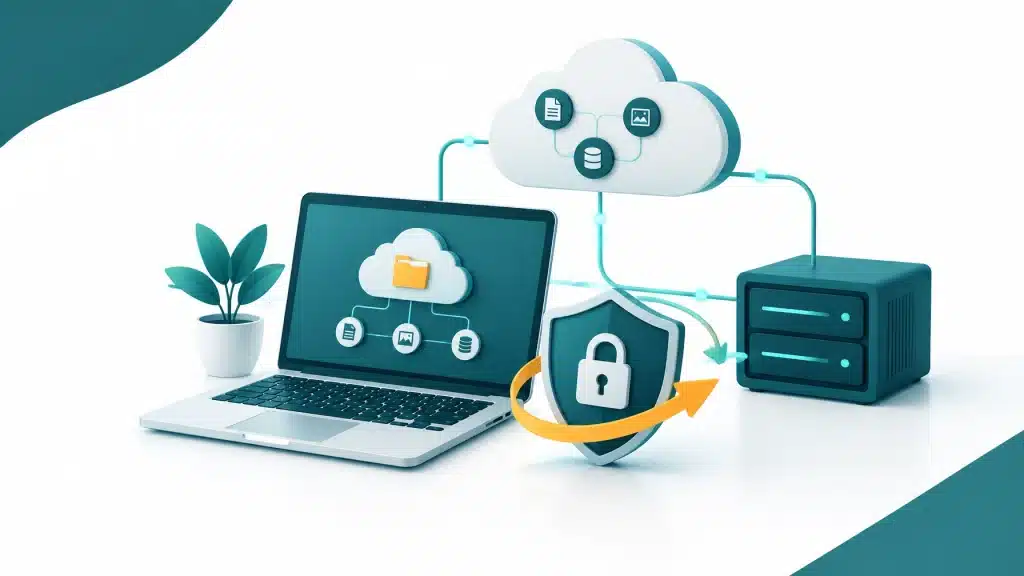
A disaster recovery plan can sound like something designed for a bank with a dedicated IT department, rows of servers and a binder thick enough to stop a door.
For many small businesses, that picture is overkill. You probably don’t need an enterprise-grade document full of technical jargon and procedures nobody has practised.
But having no plan at all? That’s a risk worth taking seriously.
The sensible answer is to match your plan to what your business actually depends on, how much downtime it can handle and how much data it can afford to lose. A useful plan might be short. It still needs to answer one important question: if a key system stops working tomorrow, will everyone know what to do next?
When a disaster recovery plan is genuinely needed
If losing access to your email, customer records, financial information or essential business systems would stop you serving customers, taking orders or getting paid, you need a recovery plan.
That doesn’t mean a major disaster is likely. Disruption can start with a much more ordinary problem: a laptop fails, an administrator is locked out of an account, someone deletes an important folder, or ransomware makes files inaccessible.
The risk isn’t only theoretical. The Australian Signals Directorate’s 2025–26 Annual Cyber Threat Report recorded an average self-reported cybercrime cost of $55,400 for small businesses. That figure is an average, not a prediction of what a particular incident will cost, but it’s a good reminder that recovery problems can become business problems quickly. Read the report summary.
When a formal plan may be more than you need
A very small business with few essential systems, limited data and a straightforward way to keep operating during a short outage may not need a detailed, formal disaster recovery manual.
You may be able to start with a one-page document: what matters most, who to call, how to regain access and where protected copies of important data are held.
But “we’re small” doesn’t automatically mean “we’re low risk”. If customers, staff, suppliers or regulatory obligations depend on your records, or if even a day offline would cause serious disruption, your plan needs to reflect that.
The aim isn’t to create paperwork for its own sake. It’s to make sure the first response isn’t a frantic search through old emails for a password or a phone number.
Build a plan around the business, not the binder
A right-sized plan is practical, easy to find and clear enough to use when people are under pressure. Start with these essentials.
1. Name the systems and data you rely on
List the things the business needs to keep operating. These might include email, customer and supplier records, payment or booking systems, accounting information, shared files and the devices or accounts used to access them.
Then ask: if this stopped working, what would be affected first? What could wait a day? What could wait longer?

Cloud-based email and file collaboration can help people keep working if a particular computer fails. For example, Google Workspace lets teams access business email and shared files across supported devices. But cloud access alone doesn’t answer every recovery question: you still need to understand how important data is protected and how it can be restored if it’s deleted, compromised or inaccessible.
2. Decide how quickly you need to recover, and how much data you can lose
Two useful measures help turn “we need to get back online quickly” into a workable target:
- Recovery time objective (RTO): how long a system can be unavailable before the impact becomes unacceptable.
- Recovery point objective (RPO): how much recent data the business can afford to lose, measured as time.
For one system, being back within a few hours may be vital. For another, a day or more might be manageable. Similarly, you may need recent transaction records restored quickly, while older reference files can tolerate a longer gap.
These targets should reflect the likely cost of downtime, your obligations to customers and the practical recovery options available, not an arbitrary industry template.
3. Write down the first steps for likely problems
Keep instructions brief and specific. Your plan should cover the scenarios that could realistically interrupt your business, such as ransomware, hardware failure, account lockout and accidental deletion.
For each one, note what to do first, who can make decisions, who should be contacted, and what not to do. For example, if ransomware is suspected, staff should know how to report it promptly and avoid trying random fixes that could make the situation harder to manage.
A cybersecurity and ransomware protection plan can help reduce exposure, but prevention and recovery are different jobs. Your plan should make room for both.
4. Make roles and contacts obvious
In a small business, one person may wear several hats. Still, be clear about who coordinates the response, who contacts IT support, who updates staff or customers, and who can approve urgent decisions.
Keep contact details somewhere people can reach even if they can’t sign in to the main business system. That might mean a securely stored offline copy or another agreed method. Include relevant support contacts and any essential account recovery instructions, without putting passwords in an unprotected document.
5. Know where your backups are, and prove they work
Backups should be chosen as part of a managed plan sized to the business’s risk and recovery requirements. Consider which information needs protection, how often it needs to be backed up, how long copies should be retained, and how they’ll be protected if the main environment is compromised.
A backup you’ve never restored is an assumption, not a tested recovery process. Schedule restore tests, even if they’re small and focused. Confirm that the right files can be recovered, that the steps are understood and that the result fits the recovery targets you set.

6. Keep the plan alive
A plan that nobody can find, or that describes systems you no longer use, isn’t much help. Store it where the right people can access it during an incident, and review it when your business changes: new systems, new staff responsibilities, different data or changed customer commitments.
A short check-in on a regular schedule is often more useful than a lengthy document left untouched on a shelf. After a test or real incident, update anything that was unclear or didn’t work as expected.
The honest answer
Yes, you need a disaster recovery plan if disruption to your systems or data could materially affect your business. No, that doesn’t mean you need an enterprise-grade binder.
Start by identifying what matters, agreeing realistic recovery targets, documenting who does what, and making sure protected data can actually be restored. A practical plan is one your team can find and follow, not one that looks impressive in a folder.
If you’d like help working out what a proportionate plan could look like, book a free 15-minute consult or call 1800 312 972. You can also explore our managed IT support and cloud consultancy services.
About Mathew Hoffman

Mathew Hoffman started his IT career in 1981 and has held senior roles at State Bank of NSW, Minet Australia, Wilhelmsen Lines and Rothmans of Pall Mall. His experience also includes work connected with the Sydney 2000 Olympics.
Since 2001, Mathew has provided IT consultancy to small and medium businesses. He became an original Google Partner in 2008 and rebranded the business as Cloud Computer Company in 2017. Based in Noosa, Mathew enjoys cricket, having played and coached in Sydney and on the Sunshine Coast, as well as spending time with family, enjoying the beach and playing golf.