What if you could ask an AI a question about a contract, report or policy, and see exactly where its answer came from?
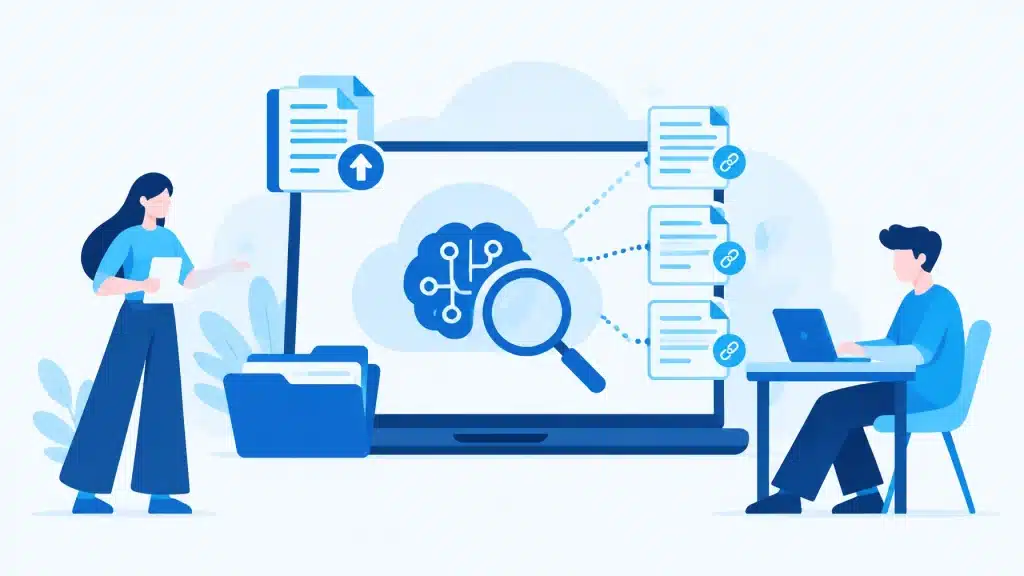
That’s the idea behind Google’s NotebookLM, now renamed Gemini Notebook. Rather than searching the open web for an answer, it works with the sources you add to a notebook. Ask a question and it can respond with citations that point back to relevant passages in those sources.
That makes it a useful way to get your head around a pile of business documents. But it’s important to be precise: citations make answers easier to check; they don’t guarantee every answer is correct. Treat Gemini Notebook as a research assistant, not an authority or a replacement for professional advice.
A chatbot grounded in your material
A general-purpose chatbot can draw on broad information, but it may produce a confident answer that isn’t well supported. Gemini Notebook is designed to ground its responses in the sources in your notebook. When you ask a question, it can show citations linked to the passages it used.
That difference matters when you’re working with your business’s actual documents. You can check whether an answer reflects the version of a contract you uploaded, or whether a report really says what the summary claims.
It’s still AI, though. It may misunderstand a passage, overlook something important or give an inaccurate response. If the information isn’t in your sources, it may not be able to answer, and you should verify important details against the original document. Think of the citations as a helpful trail to follow, not a guarantee.
Five practical uses for a business
1. Interrogate a contract before you sign
Upload a contract and ask focused questions: What are the renewal terms? How much notice is required to end the agreement? Are there fees or obligations that apply if we cancel early? Use the cited passages to check the wording yourself, and get legal advice where needed. An AI summary isn’t a substitute for a proper contract review.
2. Compare supplier quotes
Add several quotes and ask Gemini Notebook to compare what each includes, how pricing is structured and where the exclusions differ. Make your questions specific: “Which quote includes installation?” or “What ongoing charges are listed?” Then check the cited sections before making a decision.
3. Get briefed on a long report
Ask for a summary of the main findings, a list of recommendations or an explanation of a section in plain language. You can follow up with questions rather than rereading the whole document from the beginning. For a decision that matters, go back to the cited passages and read them in context.
4. Make sense of guidelines or a code of practice
Long grant guidelines, application requirements and industry codes can be hard to navigate. Ask what documents are required, what conditions apply or which section explains a particular obligation. Gemini Notebook can help you find relevant passages faster, but check the original guidance before acting on an interpretation.
5. Listen with Audio Overviews
Gemini Notebook can turn your sources into an AI-generated, podcast-style discussion called an Audio Overview. That can be a handy way to get familiar with a report or topic while you’re away from your desk. You can keep exploring sources and citations as the audio plays. The audio is generated from your documents, so treat it as a summary, not a substitute for checking the source material.
How to get started
- Go to notebooklm.google.com and sign in with your Google account. Google renamed the product Gemini Notebook in July 2026, so that’s the name you’ll see on screen — the address and sign-in are unchanged.
- Select + New notebook.
- Add sources, such as PDFs, Google Docs, web links or pasted text.
- Ask questions about the documents you’ve added.
- Open the citations to check the original passages behind an answer.
Start with a small set of relevant documents and a clear question. For example, instead of asking “Tell me about this supplier”, try “What delivery timeframes and extra charges are listed in these quotes?” A precise question makes it easier to assess whether the answer is useful.
For a small or medium business already using Google Workspace, it may be a straightforward tool to explore. If you use a work-managed account, your administrator may need to enable access. The rename is cosmetic: existing notebooks carry over without any migration, and the rename also introduced a secure cloud computer feature that lets the tool write and run code for deeper data analysis.
What about privacy?
Google says that information added to Gemini Notebook is not used to train its AI models. For eligible Google Workspace customers, Gemini Notebook is a core Workspace service covered by the organisation’s Workspace agreement and data processing terms. Google says uploads, queries and model responses are not reviewed by human reviewers or used to train generative AI models.
There’s an important detail for Workspace teams: a file added from Drive is copied into Gemini Notebook’s data, rather than remaining solely in Drive. Google says that Drive sharing and data-region settings don’t automatically apply to that copy, and Gemini Notebook is not currently integrated with Workspace data loss prevention controls. If your business handles sensitive or regulated information, ask your Workspace administrator to check the relevant settings and requirements before uploading documents.
For personal accounts, Google says notebook content isn’t used to directly train its foundational AI models unless you choose to provide feedback. If you submit feedback, associated content (including prompts, sources and generated outputs) may be reviewed to help improve the product. For details, see Google’s NotebookLM privacy information and the Google Workspace AI privacy hub.
And remember: privacy protections and backup solve different problems. NotebookLM is a way to work with information, not a backup service. If you’re reviewing how your business data can be recovered, see our article on whether Google backs up your data.
A practical assistant, with you in charge
Gemini Notebook can help turn a stack of documents into answers, summaries and useful follow-up questions. Its citations make it easier to trace a response back to the source, but you still need to decide whether the source is current, whether the answer makes sense and what action to take.
Want to explore how AI tools fit into your business’s Google Workspace setup? Book a free 15-minute consult, or call us free on 1800 312 972.
About Mathew Hoffman

Mathew Hoffman started in IT in 1981 and held senior roles at State Bank of NSW, Minet Australia, Wilhelmsen Lines and Rothmans of Pall Mall. He worked on technology for the Sydney 2000 Olympics.
Since 2001, Mathew has provided IT consultancy to small and medium businesses. He became one of Australia’s original Google Partners in 2008, and rebranded the business as Cloud Computer Company in 2017.
A long-term Noosa resident, Mathew enjoys cricket, which he has played and coached in Sydney and on the Sunshine Coast, as well as time with family, the beach and golf.